Use this guide as a working method, not a list of tricks. Read one section, apply it to a real activity, and keep the evidence that shows why each move works.
The short answer
The practical answer to print maze activities is to use one explicit routine, keep a log of what has already been checked, and make the next judgement from proof on the screen. For families, teachers, care groups and event organizers, the main objective is to produce a screen where every wall and passage remains unambiguous. That is more reliable than moving faster, copying someone else's move or opening the answer material as soon as the activity becomes uncertain.
A good session starts with the task PDF, the correct paper size and a printer preview at actual size. Those details sound ordinary, but they decide whether the participant can see the information, reverse a mistake and understand the next step. The task should feel demanding because of its intended thinking skill, not because the screen is cramped, the instructions are hidden or the controls are difficult to operate.
Start with Easy Maze when you want to test the setup on a complete activity rather than an isolated example.
Use the routine in this article on one complete mazes activity before collecting extra tips. Consistently applying a small set of habits produces a clearer improvement than applying a long list at random. When the task is complete, explain which clue or observation justified the final steps; that explanation is the best check that the routine can be used again.
Understand what the activity is asking
Before starting, describe the task in one sentence without relying on its theme or decoration. For how to print maze activities clearly, the action is to produce a screen where every wall and passage remains unambiguous. Naming that action keeps attention on the skill the screen is meant to practice instead of on whichever detail happens to look most noticeable.
Next, recognise what counts as proof in this format: open passages, closed walls, junctions already tested and a continuous route from the entrance toward the goal. A choice that merely looks promising is not equivalent to one supported by the activity. Teaching that distinction helps a beginner pause without feeling stuck and helps an experienced participant catch a careless assumption before it spreads.
Define completion before the first mark. Here, completion means that one continuous route reaches the goal without crossing a wall or jumping between disconnected passages. A explicit endpoint makes progress easier to judge and stops the activity from ending only because time or attention has run out.
Set up before you begin
Prepare the task PDF, the correct paper size and a printer preview at actual size. Put the task on a stable surface and remove unrelated sheets from the immediate workspace. On screen, use a comfortable zoom and make sure the main controls remain explicit. On paper, keep an eraser or a second marking color available so tentative thinking does not become indistinguishable from a confirmed answer.
Read the title, instructions, legend and any word bank or clue list before making the first mark. This preview is not wasted time. It reveals the size of the task, the notation used by the author and any special rule that changes the obvious tactic. It also gives the participant a chance to ask about unfamiliar vocabulary before that vocabulary is confused with task difficulty.
Choose a simple recording convention. Confirmed work should look different from a possibility, a tested branch or a discarded answer. Consistent marks lower working-memory load because the screen remembers earlier choices. For group play, agree on the same convention aloud so one person's mark is meaningful to everyone else.
- Keep the full task and its instructions explicit.
- Use reversible marks for uncertain work.
- Separate the participant sheet from the answer material.
- Agree what a finished and checked result looks like.
A step-by-step method
Step 1: open the PDF instead of printing the web screen. On the first practice screen, pause after this step and describe the proof in one sentence. That small explanation separates a justified judgement from a lucky one. If the proof is incomplete, leave the mark reversible and move to a part of the activity that can be confirmed.
Step 2: select portrait orientation and actual size. Treat this as an observable action rather than a vague reminder to concentrate. Name the clue, line, cell, card or option you are using and state what it eliminates. When nothing is found, preserve that result instead of immediately repeating the same search from a different starting point.
Apply these first two decisions in Garden Maze; leave the page open beside this section and return only when you can explain the evidence for the next step.
Step 3: check that no outer wall is clipped. On the first practice screen, pause after this step and describe the proof in one sentence. That small explanation separates a justified judgement from a lucky one. If the proof is incomplete, leave the mark reversible and move to a part of the activity that can be confirmed.
Step 4: use normal or high print quality for dense grids. On the first practice screen, pause after this step and describe the proof in one sentence. That small explanation separates a justified judgement from a lucky one. If the proof is incomplete, leave the mark reversible and move to a part of the activity that can be confirmed.
Step 5: print the answer file only for the facilitator. Keep the scope of this step narrow enough that it can be finished and checked. Work from one edge, unit, clue group or caller log to the other, then mark the pass as complete. Order matters because it prevents attractive details from pulling attention back to places already reviewed.
A worked practice example
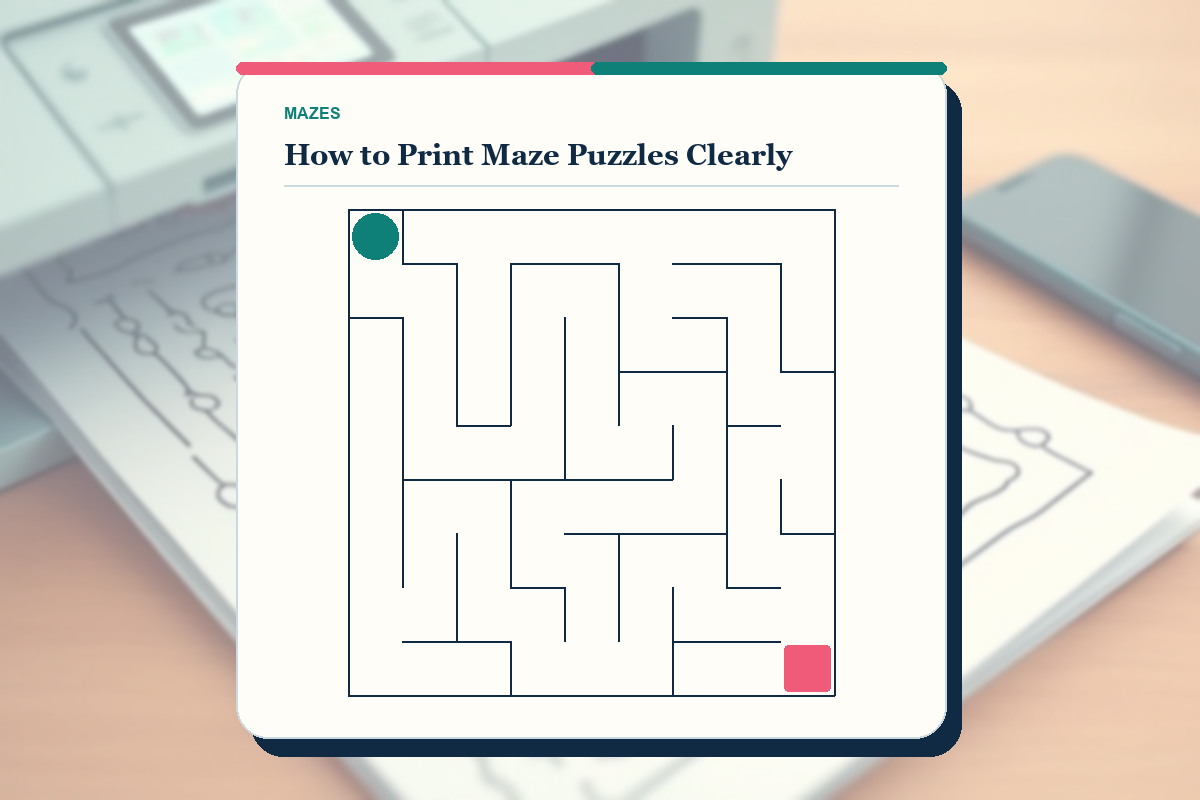
Consider this example: printing one test copy of a seventeen-by-seventeen maze and checking every corner before making a classroom set. Restate the exact target and recognise the information already supplied by the screen before making a permanent mark. Point to the first practical constraint and name the alternatives it removes. That creates a short chain of reasoning another person can follow and challenge.
Use the first two steps in order. First, open the PDF instead of printing the web screen. Next, select portrait orientation and actual size. If the proof conflicts with an early hunch, keep the proof and discard the hunch. The aim is a result that survives every relevant check, not a defence of the first idea that came to mind.
For the third step, check that no outer wall is clipped. Pause and inspect the surrounding information instead of staring only at the current detail. Many errors start when a locally attractive choice hides a condition elsewhere on the screen. One wider check is faster than repairing several dependent choices later.
Finish with the verification that belongs to this format: trace the chosen route continuously from start to finish and stop at every turn to confirm no wall is crossed. This final pass turns a plausible result into a completed activity and gives the participant a precise place to look if something does not agree.
How to adjust the difficulty
Change one variable at a time. For this format, the variables that genuinely affect difficulty are maze dimensions, branch count, dead-end depth, route length, line weight and the visibility of start and finish. If several change together, it becomes difficult to know which one made the activity more accessible or more demanding.
For a gentler version, keep the same theme but narrow the number of competing possibilities. Concentrate on one action: open the PDF instead of printing the web screen. Use generous spacing, a shorter set or a partly completed example. Support should expose the reasoning while leaving the next judgement to the participant.
For a stronger challenge, preserve the same basic requirements and ask for this action without prompting: use normal or high print quality for dense grids. Add complexity only after the participant can explain the easier routine. Productive difficulty creates more meaningful choices; poor difficulty merely adds tiny print, ambiguous wording or hidden instructions.
To compare the change at a nearby level, open Hard Maze and change one difficulty variable instead of changing the whole routine at once.
Watch behavior instead of relying only on the final score. Repeated random marks, long periods without a plan or refusal to check work signal that the level may be too high or the routine unclear. Fast completion with no explanation may signal that the level is too low. Adjust the next task, not the participant's confidence.
Common mistakes and what to do instead
Avoid using fit-to-screen without checking scale. This often appears when speed replaces verification. Do not erase the whole screen. Isolate the row, route, clue, card or turn where support disappeared, remove the unsupported mark, and recheck the neighboring information that depended on it.
Avoid printing a screenshot. A good recovery is smaller than a restart. Review the questionable choice with the instructions and shared log, explain exactly why it fails, then correct that one branch. Keeping the rest of the valid work protects both confidence and practical information.
Avoid choosing draft quality for a hard maze. Prevent it by adding a short checkpoint before permanent marks. Ask what fact makes the choice legal and what would disprove it. If neither question has an answer, leave the choice open and gather another clue instead of forcing progress.
Avoid mixing answer pages into participant sets. When this happens in a group, describe the mismatch without blaming the person who made the move. Reconstruct the proof together, agree on the earliest reliable state, and resume with one participant acting while another verifies the governing rule.
Avoid photocopying until thin walls disappear. This often appears when speed replaces verification. Do not erase the whole screen. Isolate the row, route, clue, card or turn where support disappeared, remove the unsupported mark, and recheck the neighboring information that depended on it.
Build a checklist for How to Print Maze Puzzles Clearly
Turn the routine into a short checklist that can sit beside the activity. Write the target first: produce a screen where every wall and passage remains unambiguous. Under that line, log the proof that belongs to this format—open passages, closed walls, junctions already tested and a continuous route from the entrance toward the goal. This prevents a checklist from becoming a generic reminder to 'be careful'; every item should point to something the participant can actually see, say or verify.
Make the first checkpoint specific: open the PDF instead of printing the web screen. The second checkpoint is different: select portrait orientation and actual size. Keep both as complete actions rather than reducing them to one-word labels. A participant returning after a pause should be able to read either line and know exactly what to inspect next without reconstructing the whole article.
Use the middle of the checklist for the choices most likely to be skipped: check that no outer wall is clipped. Follow that with use normal or high print quality for dense grids. Put a small box beside each action, but tick it only after the action is complete. The boxes are a log of work already performed, not a score and not a substitute for explaining why the result is valid.
Add one recovery note based on the most relevant errors: avoid using fit-to-screen without checking scale, and watch for printing a screenshot. If either appears, return to the most recent confirmed proof instead of restarting the complete activity. Finish the checklist with the final action—print the answer file only for the facilitator—and the format check: trace the chosen route continuously from start to finish and stop at every turn to confirm no wall is crossed.
Test the checklist against the worked situation rather than reading it in the abstract: printing one test copy of a seventeen-by-seventeen maze and checking every corner before making a classroom set. Cover the article, follow the written checkpoints and notice where the checklist leaves you unsure. Rewrite that line with the missing object, location or stopping condition. A practical checklist becomes shorter as its actions become more precise; it does not become a second copy of the tutorial.
Store the checklist with the task PDF, the correct paper size and a printer preview at actual size. On the next attempt, use it only at the beginning, after a contradiction and during final verification. If the participant can carry out print the answer file only for the facilitator without looking back at the article, the checklist is supporting independent work. If it repeatedly leads to choosing draft quality for a hard maze, revise the wording before increasing the difficulty.
Before sharing the checklist, run one final failure test. Ask whether it prevents mixing answer pages into participant sets and whether a new participant could still fall into photocopying until thin walls disappear. Add one concrete warning only when it changes an action; vague cautions create visual noise. The finished checklist should explain what to do, what proof confirms it and when to stop, correct or continue.
- Target: produce a screen where every wall and passage remains unambiguous.
- First action: open the PDF instead of printing the web screen.
- Independent check: use normal or high print quality for dense grids.
- Final verification: trace the chosen route continuously from start to finish and stop at every turn to confirm no wall is crossed.
Teaching, family and group use
When using this article with families, teachers, care groups and event organizers, model one complete judgement rather than completing the whole activity. Say what you notice, what you can eliminate and why the remaining step is justified. Then hand control back. The solver needs to practice choosing the proof, not merely watch a polished solution.
Use questions that reveal process: What have you checked? Which rule applies here? What would make this answer impossible? Where will you look next? These prompts are more practical than asking whether the participant is sure. They allow help without converting the activity into a sequence of hints supplied by the adult or host.
If the learner needs another explanation of the same format, continue with How to Solve a Maze Without Guessing before supplying an answer.
In pairs, assign roles that rotate. One person can point or mark while the other checks the rule, clue list or caller log. Switch after a small milestone. This prevents one confident participant from taking every move and gives both people a concrete responsibility.
End with a one-minute reflection. Ask which tactic found the most information, where the first error appeared and what the participant will do first on the next activity. Keep the reflection specific to observable actions. General praise feels pleasant; specific feedback makes the skill portable.
A focused 15-minute practice routine
Minute 0–2: preview the screen, read the requirements and choose the recording convention. Name the routine you will practice. This short setup keeps the session from becoming an unstructured race and makes later reflection possible.
Minute 2–7: carry out two actions in order. First, open the PDF instead of printing the web screen. Next, select portrait orientation and actual size. Do not measure speed yet. Put a small neutral mark beside any judgement that remains uncertain, then continue with information that can be confirmed.
Minute 7–12: move to the harder area. Use this check: check that no outer wall is clipped. Then apply this follow-up: use normal or high print quality for dense grids. If the activity is complete, verify it instead of opening another screen immediately. If it is unfinished, stop at a clear point and summarize what remains so the session can resume without repeating work.
Minute 12–15: check the answer material only after recording a final result or a specific unresolved question. Review methods, not just answers. Choose the next task at the same level if the reasoning was inconsistent, or one neighboring level harder if the routine felt controlled.
Print, screen and accessibility choices
Use the original PDF for printing because it preserves the intended grid proportions and line weight. Print one proof at actual size before a batch. On a narrow A4 printer, inspect the preview carefully rather than accepting automatic shrinkage. Keep answer pages out of participant sets unless checking your own work is part of the activity.
On screen, increase browser zoom until text is comfortable, then confirm that controls remain reachable and the task itself still fits the available space. Use keyboard, touch or mouse according to the participant's motor comfort. Reduced motion should not remove status messages or progress information.
For visual tracking, use strong light without glare and introduce a ruler edge, reading strip or focus mode when the screen becomes difficult to follow. Preserve the proof that matters for this format—open passages, closed walls, junctions already tested and a continuous route from the entrance toward the goal—at a comfortable size and contrast. Accessibility changes how information is presented; it does not need to remove the reasoning that makes the activity satisfying.
How to know the method is working
The clearest sign of improvement is not a single fast time. Look for fewer unsupported steps, cleaner corrections, more complete scans and explanations that refer to the actual requirements. A participant who can recover from an error has learned more than a participant who happened to guess the right branch.
Repeat a similar mazes activity within a day or two and start without rereading the whole article. If the participant independently uses at least two of the routine steps, the routine is becoming available from memory. If not, shorten the next session and practice one step in isolation.
Keep a tiny practice log with the task title, level, time spent, tactic used and one sentence about the hardest judgement. Do not turn the log into a public ranking. Its purpose is to choose the next practical activity and to make gradual progress explicit.
Test the skill on a fresh puzzle
Use one of the fresh mazes practice pages linked in this article rather than repeating the worked example. Before starting, write down two actions: open the PDF instead of printing the web screen. Then, select portrait orientation and actual size. Put the article aside and try to recognise the right moment for each action without copying the demonstration wording.
After the second screen, review one successful judgement with one moment of uncertainty. Ask whether this step supplied enough proof—check that no outer wall is clipped—and whether the participant avoided this common error: using fit-to-screen without checking scale. Log one specific adjustment for the next attempt. That comparison turns print maze activities into a transferable skill instead of a one-screen performance.
Frequently asked questions
What is the best first step for print maze activities?
Preview the complete activity, then make the first action explicit: open the PDF instead of printing the web screen. This gives you an ordered starting point and reduces the temptation to make a random mark before the requirements and available information are clear.
Should I use a timer?
Use a timer only after the routine is accurate. A quiet elapsed-time display can help review your own sessions, but a countdown often encourages guesses, incomplete checking and avoidable motor errors. For children and new solvers, finish one logical milestone instead of racing a clock.
When should I look at the answer?
Look after you have a complete result or a precisely stated point of uncertainty. First log what you tried and which rule stopped progress. Then review the relevant part of the answer material. This makes checking a learning step rather than a substitute for solving.
How do I make a mazes activity easier without giving away the answer?
Lower one source of complexity and keep the core rule. You might provide larger print, fewer choices or a shorter set, then demonstrate one action: select portrait orientation and actual size. Ask the participant to make the next judgement independently.
How often should I practice?
Two or three focused sessions each week are enough for most recreational solvers. Stop while the participant can still explain the routine. Short, repeated practice with a nearby difficulty is more practical than one long session that ends in fatigue and random guessing.
Can this routine be used on paper and online?
Yes. The reasoning is the same. Online controls can save progress and provide reversible input, while paper makes annotations and group discussion easy. Choose the format that keeps the task readable and lets the participant distinguish tentative work from confirmed answers.